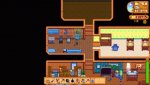
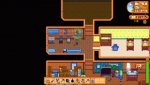
I am experiencing this extremely annoying bug since last year. It started randomly and it doesn't always happen that frequently. One thing I noticed is that is it intensified if the focused window is not the game or when my cursor moves outside the game window.
Things I have tried and didn't solve the issue:
- changing resolutions
- changing Zoom levels
- changing window sizes
- trying fullscreen, borderless windowed and windowed
- limiting the screen to 60 Hz
- limiting the game to 30 and 60 Hz
- removing all mods
- clean reinstall
- starting a new save file with no mods and a fresh install
- clean reinstall of GPU drivers
- V-Sync on and off
- changing screens (dual monitors setup)
- using the hardware cursor setting
- disabling flash effects
- updating Windows
- checking whether the CPU or GPU are overheating
As you can see, I tried a lot and I am at my wits' end... I have no idea what is wrong especially since this started in 1.5. Anyone have any clues what this could be?
Hardware Specs:
- CPU: AMD Ryzen 7 2700X 3.70 GHz
- GPU: AMD Vega 56
- RAM: 32 GB
- OS: Windows 11 Pro 23H2
I have fixed the issue! If you have the same issue and you do NOT have an AMD GPU then I am sorry but this probably won't work for you. Now let me help you fix the issue if you are a sad AMD user like me
Why?
The issue was produced by having two different versions of AMD's Adrenaline on my computer. You can check if you also have it by opening the Registry Editor and navigating to path
Computer\HKEY_LOCAL_MACHINE\SYSTEM\ControlSet001\Services. Here you should see a folder called
AMDRyzenMasterDriverVXX, if you have more than one (I had V20 and V22) then you have the same issue as me
The Solution
1. download
Display Driver Uninstaller
2. restart your PC in
Safe Mode
3. extract the archive
[Guru3D.com]-DDU
4. run
DDU v18.0.7.exe as Administrator
5. open the new folder
6. run
Display Driver Uninstaller.exe as Administrator
7. select the device type as
GPU
8. click
Options and make sure
Create a system restore point (if allowed) and
Prevent downloads of drivers from "Windows update" when "Windows" search for a driver of a device. are checked
9. run the
Clean and restart option of DDU and wait for your PC to restart
10. restart again your PC
Now check in the Registry Editor if you have any
AMDRyzenMasterDriverVXX folders. You should have none. If that is NOT the case, stop here and post a comment about your issue
Next, you need to reinstall AMD Adrenaline. You just go to their website and download whatever version you wish and install as usual. I chose the
WHQL 22.6.1 version
After the installation is complete please check again in the Registry Editor that you have
only one AMDRyzenMasterDriverVXX folder. If you do, congratulations! You fixed your PC
If any issues occur please let me know and I will try my best to help