REPORT 1.5 MOBILE ISSUES HERE! (UPDATED FEB 20)

Status
Not open for further replies.
Type of phone: iPad, OS version 16.2. Game version: 1.5.6 build 37
Details of your issue: I have several issues with Farming level 10.
1) I have been getting the Farming Rancher profession chooser frequently. Previously, I was seeing multiple profession choosers, eventually building up to five. That was resolved when you fixed the bug. Then this one started up again. I always choose Coopmaster, but still keep getting it.
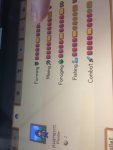
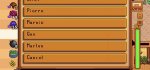
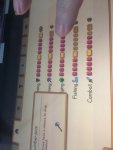
2) I recently learned how to see my level 5 and 10 professions. Interestingly, Foraging level 10 works perfectly, as do all the level 5. However, Farming level 10 does not respond, does not display anything. Photos of Farming and Foraging attached.
3) Last night, I went to the Statue if Uncertainty to change my farming professions. I had realized I didn’t like the ones I had chosen. All seemed to go well. Next morning, I was presented with the level 5 chooser, and I chose Tiller since I wanted Artisan at level 10. Then, for my level 10 chooser, I was once again presented with Coopmaster or Shepherd — not the options for my level 5 choice of Tiller, as described in the Wiki.
I don’t know how you go about researching bugs, if you look at the save files. I wish I could look at mine, but as it’s an Apple device the file system is closed. I wonder if my data is corrupt in some way.
Screenshots/video: Me attempting to display level 10 professions for Farming (fails) and Foraging (works)
On the day of your issue, did you load your game through the Load Game menu (you wake up in the bed)? Or was it an “emergency load" (i.e. one where you start mid-day wherever you left off)?: First issue happened over multiple days. I nearly always load through the Load Game menu. The days of the other problems, I also loaded through the Load Game menu.
 

Attachments

  • 6FE3D26C-4E18-4824-82B5-B869A20E863C.jpeg
    6FE3D26C-4E18-4824-82B5-B869A20E863C.jpeg
    68.3 KB · Views: 265
  • E5012984-ECD3-4B43-8034-DBDBB5EAAF80.jpeg
    E5012984-ECD3-4B43-8034-DBDBB5EAAF80.jpeg
    60.1 KB · Views: 287
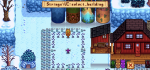
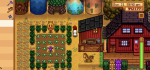
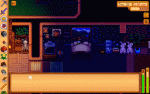
I changed the color of my stable at robins to match my house. Doing so moved the stable back a few squares, and it cannot be adjusted at robins or the wizards house. It appears to be some kind of bug.
 

Attachments

  • 3847A6D9-1069-4629-AC67-3F418CECDCB4.png
    3847A6D9-1069-4629-AC67-3F418CECDCB4.png
    616.9 KB · Views: 303
  • 88504145-671C-4E2D-A571-4C2FB7C87D13.png
    88504145-671C-4E2D-A571-4C2FB7C87D13.png
    546.7 KB · Views: 310
Screenshot_20230217-131557.jpg

Can you guys maybe fix this?
Its too small and its really hard to choose colors because you really cant press it. Maybe add the color white too
 
  • Like
Reactions: Aya
Phone: Galaxy A42 5G
Model number: SM-a426B/DS
Details of your issue: Cant place normal items(pearl, prismatic shard, golden pumpkin etc) on tables. But fot some reason i can pkace 2 endtables on top og each other?
 

Attachments

  • Screenshot_20230216_220538.jpg
    Screenshot_20230216_220538.jpg
    87.7 KB · Views: 264
I have seen duplicating Leo as well.
The fishing mini game changes size with zoom.
When I buy a ticket to the desert, sometimes I walk straight into Pam.
I can't scroll to see what Qi's perfection tracker says.
If I get a text or call while playing, it restarts the day.
 
Hey I have a Android Samsung Z Flip 4. I followed the directions to move the save file as directed. But it still won't show my save, or Sometimes it will, but when I tap it, the app just crashes. How do I fix this?

I transferred the files using Xplore
 
I've noticed a glitch, where every time I opened the "Lost & Found" box, the items in there stay after you re-open, so I can multiply items. I'm on Android 12 device is Motorola g30
Screenshot_20230217-192634.png
 
Type of phone: iPhone 14 Pro Max
Details of your issue: unable to use my sewing machine, when i try to put cloth or some item in the squares they jump back to my backpack.
It’s a constant problem it never worked, i checked restarting and loading the save game didn’t help, removing the machine and putting it again, different times of the day, it also doesn’t work on Emily sewing machine.
 
Magnet issue! I have basically no magnetism anymore, even with trying multiple rings and types of rings, have to basically stand on top of things to collect even though I'm about level 10 in everything. Noticed it first happened when I was in the skull cavern ( I was wearing the Iridium band and the Glowstone ring at the same time, and got the Immunity ring, so I swapped the Immunity and Glowstone and realized my magnetism stopped working. I went to sleep and it has lasted multiple day. I've created new rings, tried other magnet rings and have taken off all clothing for the night and slept, but magnet rings do not work anymore!
 
Phone: Poco X3 Pro
Patch: 1.5.6.37

Normal tappers show the squares on each tree that doesn't have tappers attached but I can't see squares whenever I install heavy tappers. Also the heavy tappers show squares on the ground instead on trees.

Screenshot_2023-02-18-10-49-35-513_com.chucklefish.stardewvalley.jpg

Image#1 Normal tappers


Screenshot_2023-02-18-10-47-40-856_com.chucklefish.stardewvalley.jpg

Image#2 Heavy tappers

It's pretty hard to install heavy tappers in a dense tree stand in your farm, you can't see those trees who still doesn't have tappers
 
Type of phone: I’m on an iPad
Details of your issue: I exited out of my game to go grab some food, and when I loaded back in, my tea bushes, which I knew I had already harvested, were ready to be harvested again. I harvested them and exited again, and sure enough, when I loaded in again, they were back. I haven’t experienced this with any other crop, and I don’t think it’s a huge deal, but probably worth mentioning. It happens every time I load it up
On the day of your issue, did you load your game through the Load Game menu (you wake up in the bed)? Or was it an "emergency load" (i.e. one where you start mid-day wherever you left off)? emergency load
FB6A9CB2-F314-4DEE-BE5D-AD52F61C0612.png
A2F022A5-C045-47C8-97C4-A4F230603FEA.png
1335FE63-ECDB-47B4-A1B5-118E028C1A54.png
E29F0083-0428-42DC-8C7B-41D9D8B6C1C3.png

Also, I’m having trouble attaching anything but photos to the post, but I do have video. Since I can’t attach the video for whatever reason, heres a few screenshots
 
I can’t scroll up to see Robin’s number on the telephone. Yes, I’m on a tiny iPhone Mini 12 Screen. I just want to be able to adjust it. I had the same problem scrolling down on longer dialogue cut scenes.
 

Attachments

  • 9C486F2E-BFD5-4B1B-84D2-1D3C7B938377.jpeg
    9C486F2E-BFD5-4B1B-84D2-1D3C7B938377.jpeg
    79.1 KB · Views: 266
Device: Samsung Galaxy Tab S6 Lite

These are permanent issues, they happen whether I start normally or through an emergency load.
The main issue is I can't access any machines placed on the bottom left corner of my big shed. They're not hard to reach, they just stopped working out of nowhere. Video here.

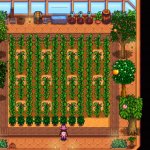
The other issue is just a graphics thing. Lots of lines appeared after the update basically everywhere but specially on dark areas like trees, other areas like the river borders and the floor at the greenhouse. Pictures attached.

SmartSelect_20230218_112514.jpg
SmartSelect_20230218_112544.jpg
 

Attachments

  • SmartSelect_20230218_112514.jpg
    SmartSelect_20230218_112514.jpg
    147.1 KB · Views: 304
  • SmartSelect_20230218_112544.jpg
    SmartSelect_20230218_112544.jpg
    710.9 KB · Views: 340
Device: Samsung Galaxy Tab S6 Lite

These are permanent issues, they happen whether I start normally or through an emergency load.
The main issue is I can't access any machines placed on the bottom left corner of my big shed. They're not hard to reach, they just stopped working out of nowhere. Video here.

The other issue is just a graphics thing. Lots of lines appeared after the update basically everywhere but specially on dark areas like trees, other areas like the river borders and the floor at the greenhouse. Pictures attached.

View attachment 15081View attachment 15082
Same problem with the lower left corner of the big shed… until they fix it you can use the zoom to get in closer and use anything placed… also works in the greenhouse, i cant harvest some of the lower left squares until i zoom in on them
 
Type of phone: iPhone 11 6.1’
Details of your issue: Game freezes when another app with audio is playing in PiP mode. I used to play it with YouTube on the background but now I can’t. Other users have had the same issue with several other apps as well.
Screenshots/video: :/
On the day of your issue, did you load your game through the Load Game menu (you wake up in the bed)? Or was it an "emergency load" (i.e. one where you start mid-day wherever you left off)? No, happens eveytime I hit play on the other app
Any other info that might be relevant: Maybe now Stardew Needs to be on the foreground to work? Looking for this issue I found a lot of people with the same issues in with different apps.
 
hi there, sry for bad quality in the video
type of mobile device: yqsavior yq10s
bug: app crashes when i sleep and doesn't let me progress to the next day
version: 1.5.6 build 31
pls fix this ty
 

Attachments

  • screen-20230218-220007_AdobeExpress(0).gif
    screen-20230218-220007_AdobeExpress(0).gif
    1.8 MB · Views: 345
Type of phone: iPhone 11
Details of your issue: Picture in Picture feature no longer works and freezes the app.

Screenshots/video:
D84DBEB3-AB5A-42DE-9012-CF93A0F085F9.png

(I have a video but it won’t let me add one)

On the day of your issue, did you load your game through the Load Game menu (you wake up in the bed)? Or was it an "emergency load" (i.e. one where you start mid-day wherever you left off)?

tried to do what I usually do and open the game with Netflix playing at first it pauses the video without freezing so I unpaused it and it froze the game. I did not use to do this but I don’t remember the exact date it started to do this.
 
Phone:Xioami Redmi note 10 5G
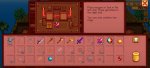
Issue:For some reason i cannot put tools or gems in the foraging machine
 

Attachments

  • Screenshot_2023-02-18-21-59-39-297_com.chucklefish.stardewvalley.jpg
    Screenshot_2023-02-18-21-59-39-297_com.chucklefish.stardewvalley.jpg
    78.1 KB · Views: 265
Status
Not open for further replies.
Back
Top