REPORT 1.5 MOBILE ISSUES HERE! (UPDATED FEB 20)

Status
Not open for further replies.
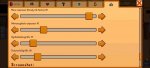
I still have an annoying bug: after every restart, the toolbar ist too big, although a smaller sitze is set in the settings. So I have to go to the settings, increase the width by one pixel and decrease it again. Than it is correct.
 

Attachments

  • Screenshot_2023-02-08-12-03-11-10_893d596dcff5c78bbd4f33a4f6c2351c.jpg
    Screenshot_2023-02-08-12-03-11-10_893d596dcff5c78bbd4f33a4f6c2351c.jpg
    127.8 KB · Views: 306
  • Screenshot_2023-02-08-12-03-28-71_893d596dcff5c78bbd4f33a4f6c2351c.jpg
    Screenshot_2023-02-08-12-03-28-71_893d596dcff5c78bbd4f33a4f6c2351c.jpg
    60.9 KB · Views: 299
  • Screenshot_2023-02-08-12-09-01-77_893d596dcff5c78bbd4f33a4f6c2351c.jpg
    Screenshot_2023-02-08-12-09-01-77_893d596dcff5c78bbd4f33a4f6c2351c.jpg
    125 KB · Views: 352
Type of phone: iPhone 13 with iOS 16.2
Details of your issue: 1.5.6.37 version, cannot open transferred old save from the same phone and same version. The old save appears in the load menu but the game just goes back to the title after I click it.
 
Last edited:
Type of phone: Galaxy J6+
Details of your issue: The crash happens every time a cutscene plays. The first is at 2nd of fall for the first year, and the second time is when i will give my first artifact to Gunther (deleted my saves because i thought it'll fix the problem).
Screenshots/video:
On the day of your issue, did you load your game through the Load Game menu (you wake up in the bed)? Or was it an "emergency load" (i.e. one where you start mid-day wherever you left off)?
Yes, I did load my game and unfortunately I always wake up in the bed erasing my progress for that day.
Edit: I tried it again. It did load to the emergency load but it still crashes every time i trigger the cutscene (see video for reference).
I also triggered the community center cutscene and same outcome, the game crashed.
Edit 2:
Summary of cutscenes that crashed the game:
>Sometime crashes when loading the game
>2nd of fall, 1st year, mayor lewis and robin were involved
>First cutscene for artifact or Gunther revealing that the archeology/museum is empty
>Wizard helping us to understand junimo language for community center
Any other info that might be relevant: I triggered the cutscene for the mines, and it just went smoothly. However, it's now crashing when i load my save
 
Last edited:
1. iPhone 11
2. Dupe glitch- At least with cheese, at the Luau placing something in the soup will result in receiving all of that inventory item back, plus your original inventory. I.e I had 39 gold cheese, I tried to place just one from my cheese pile from my inventory in the soup, but at the end of the day I had 78 gold cheese.
 
ipad Air 4th gen, running iOS 16.2

As reported by other users, I’ve always previously played STV with my own audio playing in another app in the background. Previously loading STV would pause my audio, but it could be unpaused and you could continue playing. Since 1.5, the game now crashes and has to be forcibly closed If I try to play other audio. This makes the game unplayable.
 
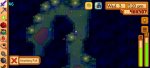
Bug: no ladder in enhanced mines
Phone type: samsung galaxy a53 5g
Save: load save
 

Attachments

  • Screenshot_20230208_211013.jpg
    Screenshot_20230208_211013.jpg
    81.1 KB · Views: 300
  • Screenshot_20230208_211021.jpg
    Screenshot_20230208_211021.jpg
    68.9 KB · Views: 318
пыльца Xiaomi redmi not 8 pro загружается по краям экрана, что оставляет полосу, если вы идете достаточно быстро
 

Attachments

  • Screenshot_2023-02-09-02-46-10-515_com.chucklefish.stardewvalley.jpg
    Screenshot_2023-02-09-02-46-10-515_com.chucklefish.stardewvalley.jpg
    129.7 KB · Views: 252
LG k22

Bug:Sometimes when I enter somewhere like: smithy, library, guild, etc, the game has a black screen for 1 second and closes by itself.(if you haven't done the backup during the day, when this bug happens, you will lose the day's progress)
 
Game Crashes Upon Launch
Hi
It's been over a week now since I'm trying to launch my game but as soon as I click "Start from where you left off", it goes to black "Loading" screen and then after few seconds crashes. I have tried saving my file and reinstalling the app but it didn't fix the problem. I have tried literally everything but it's not working. I have sent multiple emails to [email protected] but no response. I'm playing on iPhone 11 and my software is upto date. What should I do?
 

Attachments

  • 02CB21E3-75A3-48BB-8732-9884CAEB8179.png
    02CB21E3-75A3-48BB-8732-9884CAEB8179.png
    231.4 KB · Views: 303
  • B0C7951B-3CA0-44D3-93B9-BC2828D865C7.png
    B0C7951B-3CA0-44D3-93B9-BC2828D865C7.png
    84.2 KB · Views: 336
  • C84607F8-9F25-4C05-916C-314BC521CB3F.png
    C84607F8-9F25-4C05-916C-314BC521CB3F.png
    193.8 KB · Views: 270
Special Order: "Robin's Resource Rush" collect 1000 stone or wood.

Apparently this can be fulfilled on other editions by buying those directly from Robin. On mobile v1.5.6 build 37, no, buying from Robin does not count toward the special order.
 

Attachments

  • IMG_3227.jpg
    IMG_3227.jpg
    104.5 KB · Views: 261
  • IMG_3228.jpg
    IMG_3228.jpg
    56.5 KB · Views: 309
Mobile device: iPhone 11 Pro Max, iOS 16.1.1

Description: interaction with YouTube app v18.05.2. YT will continue playing video “picture in picture” when I’m not in the YT app. I like to watch the PiP while I’m playing Stardew Valley. Something changed recently, the presence of the PiP box will freeze SDV. When I close the PiP the game immediately resumes. The game doesn’t crash or lag, it just pauses.

I tried to grab a screenshot but the iPhone ignores PiP when grabbing screenshots.
 
Gadget: Samsung Tab S7 FE + old ps4 controller (bluetooth)
Issue: the game freezes; i can interact with my items in my backpack but aisde from it, i can't move and the time is frozen. i can't even save the game when it happens. it happens pretty consistently. im only a casual player but the issue appears almost every time i play it. it appears around 30mins+ of gameplay
 
Last edited:
Have an iPhone 14 pro max
I listen to audiobooks and music while I play, but have been unable to do so lately. When I start the game, my music is stopped. If I restart music then return to the game, the game is frozen and I am unable to interact. If I shut off the music, the game once more returns to normal function. Have tested on multiple saves and new game. The type of app used to play my audio doesn’t matter, anything I try to use freezes the game until I shut it back off.
 
Device: Samsung A31
Bugs:
1. A lot of music tracks cut before the end of the track (then repeats normally)
2. Sometimes when exiting bulletin board at community center the game apparently still thinks i'm at bundle screen because the time is still frozen and i can't move (and i have to restart game to unfroze)
 
Hello, i recently started playing Stardew Valley on my Ipad Air 4.
Now i found a bug where the game crashes: Sebastians sixth heart quest. As soon as i get to choose how i want to enter the Tower, the game won‘t let me press any buttons, i can‘t do anything about it, so i need to do an emergeny stop on my ipad. Sadly i always have to start the whole day again. Tried this three times without anything changeing. I can‘t post any screenshots because i‘m not allowed to press buttons in the game and don‘t know how to do it on my ipad..
thank you very much!
 
Device: iPhone 13 Pro Max
Bugs: Game was loaded through the load menu.
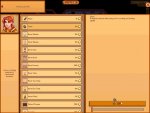
1) the character/player icon in the menu is not centered.
2) Weapons/tools stats are also not centered or contained within their “bubble”
3) even with the “Golden Watch” there are random tree seeds that grow in my farm. I am not sure if that was a bug but wanted to include it.
4) buildings cannot be placed over “Floor” blocks anymore. They break the moment a building is placed on them. You were able to put buildings in “Floor” blocks.
 

Attachments

  • F4DF493A-3EC4-4CDE-BD9D-26B9B1804FC5.png
    F4DF493A-3EC4-4CDE-BD9D-26B9B1804FC5.png
    711.3 KB · Views: 321
  • B5C10412-E545-49F7-8CE2-F5FD4D18ADB7.png
    B5C10412-E545-49F7-8CE2-F5FD4D18ADB7.png
    330 KB · Views: 366
  • 16B9C885-DC01-4844-A568-D218F6015303.png
    16B9C885-DC01-4844-A568-D218F6015303.png
    312.6 KB · Views: 311
  • EF3B08FD-C31F-4B8C-AD24-FAE039841F1E.png
    EF3B08FD-C31F-4B8C-AD24-FAE039841F1E.png
    559.6 KB · Views: 312
Telefone:a 20s

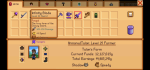
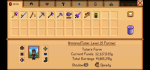
bug: não consigo equipar o anel fenix ou colocá-lo na cômoda

na foto é a cômoda
 

Attachments

  • Screenshot_20230210-155330.jpg
    Screenshot_20230210-155330.jpg
    54.1 KB · Views: 264
Hi !
Type of phone : iPhone 11
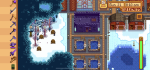
Details : my stable is not in the right place, it’s shifted, you can see it from the picture.
Other : thanks for all the work, it’s a fantastic game !
 

Attachments

  • C7018A15-DB7B-4F2A-BBD9-3456E82BB82E.png
    C7018A15-DB7B-4F2A-BBD9-3456E82BB82E.png
    632.2 KB · Views: 329
Phone: Poco X3 Pro

Patch: 1.5.6.37

I can't see the number of espresso ( it the item is placed in the top row of my inventory, particularly if it's in the top right) while I'm being shipping it since it's under my finger.

If it's on the lower 2 rows I can see it normally.
Screenshot_2023-02-11-09-54-17-121_com.chucklefish.stardewvalley.jpg
 
Status
Not open for further replies.
Back
Top