
REPORT 1.5 MOBILE ISSUES HERE! (UPDATED FEB 20)

Status
Not open for further replies.
Damage Bug
Device: iPhone 11
Version 1.5.6.34 installed
- ever since I unlocked the skull cavern I noticed that enemies were doing an abnormally large amount of damage despite having space boots and a lava katana on. I went back to the mines on level 5 to see how lower level enemies effected me and despite the +8 defense green slimes and bugs on level 5 of the mine were dealing 23-29 damage.
-Level 6 combat skill
- Tried restarting app, letting nights pass, un-equipping and equipping all items but can't fix this bug
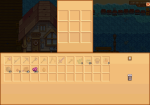
 
Just a minor bug, but there's an arrow on my screen.
Type of phone: vivo 1935
Details of issue: View attachment 12338
I was on the mine, at floor 65. When I clicked the floor 65 button in the lift thingy, an arrow appears. This occurs everytime I click anything other than the buttons on the menus.

P.S. I found another bug. Everytime I load a save, the toolbar increases in size, but when I enter the controls menu and leaves, it turns to normal.
 
Hello, my problem is that when saving the game it doesn't go to the folder when I want to move the folder from one place and get into the game it appears that I have to create a new one.
 
Type: IPad- IOS
Details: The quest where you have to collect 100 bug meat for Willy isn’t working. I have them in my inventory but can’t transfer them to the barrel
 

Attachments

  • CC5045C0-97DE-466C-A81D-E67188E3F04F.png
    CC5045C0-97DE-466C-A81D-E67188E3F04F.png
    521.3 KB · Views: 380
Phone: iPhone 13 mini
Issue: game won’t load since update. On the rare occasion it does load, the game freezes and crashes when inventory is opened or shipping box is opened.
 
I am using an an iPad 9th Gen with iPad 0S 15.7.

Stardew Valley 1.5 crashes frequently. The screen also freezes at times; when the screen freezes, rebooting the iPad restores the game.
 
Hi,
Using iPad Pro 11 inch and the game is crashing when I try to put eggs in Gus’s fridge, it was also crashing when trying to put bug guts in Willy’s barrel. It’s hard to even get them to go in… I usually use a controller but can’t get them to go in and can’t drag them in either. The only way I managed to get some in before crashing was to move an egg to the top of my inventory and then tap it and it would go in. Sometimes they go in and sometimes it crashes the game.
 
Same. Ipad pro. I've stopped playing so I don't run out of time to complete the tasks.
The quests will come around again… I am avoiding (when possible) picking up quests that require dropping items off in a unique dropbox and am doing all the ones that auto complete or require handoff and regular shipping. Qi’s quests are also affected. Cannot do the prismatic grange
 
Device: iPad pro 12.9 inch, current iOS and updated both patches

As mentioned, any quest that requires dropping items to a ‘new’ location (Qi’s bin, Robin’s woodpile, Willy’s worm bin, Gus’ fridge etc) cannot be completed. Once the transfer interface is open the quest items cannot be selected. Tried every spot in my inventory and tried changing to joystick controls.
 
Hi! I'm in the last update of version 1.5 and in this version I found a bug where it's not possible to put a hook, as far as I tested, on the fiberglass fishing rod
 
Device: Moto G6 (Android 8)
Version: 1.5.6.34

Game crashes whenever I try to leave the farm.

Update: New save running smoothly. The reported crash only happens when I play my old save.
 
Last edited:
Same with Evelyn’s “Gifts for George” quest. I can’t add the leeks.

Also on iPad Pro (11in, 3rd gen, iOS 15.6.1).
 
Type of phone: Infinix HOT 11S NFC
Details of your issue: The junimo hut bug is still there, i downloaded the latest patch.
Screenshots/video
Screenshot_20230110-020706.jpg
 
Hello! I waited for the new update today to make sure, but it’s still happening:

Iphone 12 Pro Max

When I’m holding my watering can, if I try to stand behind ANY scarecrow to water crops nearby, it’ll add water behind the scarecrow instead of getting to the location. Even if the ground isn’t plowed. I’ve used the pick axe behind the scarecrow to make sure I didn’t use the hoe behind it but it still happens every time. This is minor compared to everything else but would love the fix! Thanks for all your hard work!
 
Screenshot_20230110-184121.png
Screenshot_20230110-184119.png


Type of phone: Galaxy Pixel 6a

Issue: The Farm Mitigation notification happened today upon opening Stardew. I clicked "ok" and when it brought me to the other screen I clicked "use this folder" and "allow". My phone said "please choose a different file" on a security motion but no matter what I do, it is looping here, just stuck in a prompt circle with no outcome and I cannot access my game. When I click "load game" it shows zero files.

Can anyone help?
 
Phone: Motorola g8 Play Android 10

My game keeps crashing in this 1.5 update, I enter the game and in less than 2 minutes it crashes, I can't film or take a print because my screen recorder automatically exits when I enter
 
Game is prompting to save game file to a new folder, but my pixel 7 pro is saying is cannot use that folder. What folder directory should it be so I can try to manually pick it? Can't get into game until I complete this.
Same issue for me, I have a Google Pixel 6a and am experiencing the same thing.
 
Type of phone: Android / Samsung Galaxy S8

Details of your issue:
1. The horse is still missing after an emergency load. I updated my game to the latest/the most recent patch.

2. Both at-home/mini sewing machine and Emily's sewing machine do not work. It glitches whenever I try to input any cloth or an item to tailor it. The machine just "throws out" an item and does not accept it.

3. The toolbar size does not stay consistent after an emergency load. I set it to 60, but whenever I do emergency load, the size enlarges all of a sudden. This did not happen in a previous update (pre-1.5 update) so I think this is a bug that came with the 1.5 update.

I'm having the same issue #1 and #3 as well.

I'm using Android Xiaomi Redmi 10
 
Last edited:
Status
Not open for further replies.
Back
Top