Issue Needing help w/ Stardew Valley Expanded

Taeleha

Newcomer
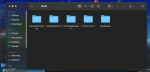
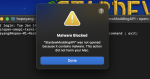
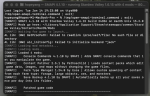
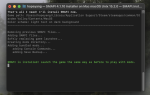
Hi there! I've been wanted to play SDV-Expanded for a long time now and I just got my M1 MacBook Pro laptop. I've been looking up videos and helpful links to help me but I'm still stuck (this is also my first time using a mod so I have no clue on how to do any of this). I downloaded SMAPI but mine says a different thing. I'm wondering if it's because I need to adjust something in my setting (photo attached below)? Also, does anyone know how to make Apple stop thinking that SMAPI is malware - it keeps throwing it away in the trash (photo below). I had SDV thru steam and whenever I try to open it, all I get is that SMAPI window. I'm also going to attach the mods that I've installed -- hopefully they are the ones that I need for the expanded mod. If there are any important ones that I missed, please let me know!
 

Attachments
  • Screenshot 2025-01-14 at 3.14.07 PM.png
    Screenshot 2025-01-14 at 3.14.07 PM.png
    502.2 KB · Views: 382
  • Screenshot 2025-01-14 at 3.34.22 PM.png
    Screenshot 2025-01-14 at 3.34.22 PM.png
    326.5 KB · Views: 338
  • Screenshot 2025-01-14 at 4.37.03 PM.png
    Screenshot 2025-01-14 at 4.37.03 PM.png
    391.6 KB · Views: 412
Last edited:
This seems to be a decently common issue among mac users. Here is the guide I always recommend. If that doesn't work, this strategy might.
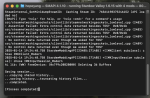
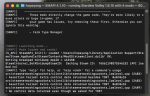
I followed the second strategy but it still doesn't seem to work. The photos are what SMAPI is telling me. I'm not sure how to read it as.
 

Attachments

  • Screenshot 2025-01-14 at 7.27.11 PM.png
    Screenshot 2025-01-14 at 7.27.11 PM.png
    703.7 KB · Views: 321
  • Screenshot 2025-01-14 at 7.26.54 PM.png
    Screenshot 2025-01-14 at 7.26.54 PM.png
    671.9 KB · Views: 407
  • Screenshot 2025-01-14 at 7.26.40 PM.png
    Screenshot 2025-01-14 at 7.26.40 PM.png
    668.8 KB · Views: 363
Back
Top