You are using an out of date browser. It may not display this or other websites correctly.
You should upgrade or use an alternative browser.
You should upgrade or use an alternative browser.
Issue mac detecting smapi as malware and deleting it
- Thread starter Hyacinth
- Start date

lovelyfantasy
Farmer
im facing the same issue ! 


ISSsloth
Farmer
The author of this thread had the same issue. This guide seemed to have solved the problem for them.
yendew
Newcomer
The official apple guide doesn't solve my issue though; SMAPI doesn't even show up in the system preferences privacy & security window as an option to override ("open anyway"), for me it just directly gets moved to the bin everytime I try to start the game and the game can't even boot normally. Very confused
azeero
Newcomer
The official apple guide doesn't solve my issue though; SMAPI doesn't even show up in the system preferences privacy & security window as an option to override ("open anyway"), for me it just directly gets moved to the bin everytime I try to start the game and the game can't even boot normally. Very confused
Yeah, I found that as well, It annoying there is no override for it
rriiis
Greenhorn
The official apple guide doesn't solve my issue though; SMAPI doesn't even show up in the system preferences privacy & security window as an option to override ("open anyway"), for me it just directly gets moved to the bin everytime I try to start the game and the game can't even boot normally. Very confused
I’m having the same issue, the website helped the first roadblock but ultimately it’s saying “ “StardewModdingAPI” will damage your computer. You should move it to the trash. “. and I can’t follow the steps to override it, like the first time.
purple-ladybug0
Newcomer
This issue started for me around a week ago, I've deleted and reinstalled smapi and its still not working. I think it just needs to be fixed in a new update there's not much else we can do
frankfunk
Greenhorn
I had the same issue and was able to fix it for me. After unsuccessfully launching the game, go to System Preferences > Privacy & Security > Developer Tools
There you should see the Terminal app, enable it so it is allowed to run unauthorized code. Keep in mind, that in doing so you might potentionally weaken the security of your system, especially if you work with the Terminal a lot.
There you should see the Terminal app, enable it so it is allowed to run unauthorized code. Keep in mind, that in doing so you might potentionally weaken the security of your system, especially if you work with the Terminal a lot.
sarmap
Newcomer
I had the same issue and was able to fix it for me. After unsuccessfully launching the game, go to System Preferences > Privacy & Security > Developer Tools
There you should see the Terminal app, enable it so it is allowed to run unauthorized code. Keep in mind, that in doing so you might potentionally weaken the security of your system, especially if you work with the Terminal a lot.
Not sure if this is what did it for me, I added Terminal and the StardewModdingAPI files as exceptions. I also had an update pending to MacOS 14.7.2. After adding the SMAPI files to the Developer Tools exception and running the update it is now working! Hopefully that can help someone else here.
Jespertjehh
Newcomer
You're a hero! Adding the terminal app to the developer tools fixed it for me! Thank you!I had the same issue and was able to fix it for me. After unsuccessfully launching the game, go to System Preferences > Privacy & Security > Developer Tools
There you should see the Terminal app, enable it so it is allowed to run unauthorized code. Keep in mind, that in doing so you might potentionally weaken the security of your system, especially if you work with the Terminal a lot.
arugula
Newcomer
Hello.
I've tried everything, but only this solution worked. First, I added the Terminal app to the developer tools (System Preferences > Privacy & Security > Developer Tools)
Then, I opened the Stardew Valley folder, and right clicked on the StardewModdingAPi, and selected open with Terminal. Hopefully this helps
I've tried everything, but only this solution worked. First, I added the Terminal app to the developer tools (System Preferences > Privacy & Security > Developer Tools)
Then, I opened the Stardew Valley folder, and right clicked on the StardewModdingAPi, and selected open with Terminal. Hopefully this helps
Poonty
Newcomer
I had the same issue and was able to fix it for me. After unsuccessfully launching the game, go to System Preferences > Privacy & Security > Developer Tools
There you should see the Terminal app, enable it so it is allowed to run unauthorized code. Keep in mind, that in doing so you might potentionally weaken the security of your system, especially if you work with the Terminal a lot.
I saw this a lot to but i don't even have the Developer Tools option. When i look for it online there is no clear answer i understand or can do :(
LachieBell
Newcomer
I saw this a lot to but i don't even have the Developer Tools option. When i look for it online there is no clear answer i understand or can do :(
It's a little hard to find, but it should be at the bottom of the privacy & security section.
For anyone else out here, this did work for me. However I had to restart my machine after allowing the app to run.
morganfm
Newcomer
Thanks everyone! One of my friends was in crisis and I'm a Windows user so helping took a lot of extra googling, but adding both Terminal and StardewModdingAPI to their developer tools worked at last once we reinstalled SMAPI after it was autodeleted, enabled the developer permissions, and then Restarted their computer before trying to open the game like normal through Steam.
kpietromica
Newcomer
I can't figure out how to add SMAPI to the exceptions. I added terminal but when I try to start the game it's still saying SMAPI was moved to the trash because it contained malware.
tastyterror
Newcomer
I’m having the same problem. when i try to add stardewmoddingapi to the exceptions i can’t even find it.I can't figure out how to add SMAPI to the exceptions. I added terminal but when I try to start the game it's still saying SMAPI was moved to the trash because it contained malware.
quindary11
Newcomer
I had the same issue and was able to fix it for me. After unsuccessfully launching the game, go to System Preferences > Privacy & Security > Developer Tools
There you should see the Terminal app, enable it so it is allowed to run unauthorized code. Keep in mind, that in doing so you might potentionally weaken the security of your system, especially if you work with the Terminal a lot.
On my mac there isn't a "Developers Tool" tab under "Privacy & Security". What am I to do?
Taeleha
Newcomer
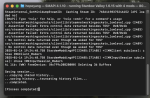
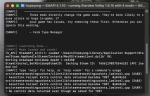
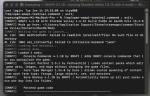
My SDV-Expanded still isn't loading after adding terminal to the developer tools. The photos is what SMAPI is showing me. I'm not sure how to read it as.