Patty_horizontal
Greenhorn
OK I fixed it.
This is dumb but fixable. The previous location on your drive where Stardew Valley kept it's Screenshots was changed or removed by either the macOS or Stardew Valley itself. I think the macOS did this as the root folder leading to that location:
~/.local/share/StardewValley/Screenshots
which is referenced in Odin's post here:
https://forums.stardewvalley.net/threads/how-to-share-your-farm-and-use-stardew-planner.152/post-716
is no longer being used, specifically that .local folder. I remember it from older macOSes but it's no longer there at all on my 10.15.7 Mac.
But we can put it back!
One step (#4 below) is not going to be familiar to a lot of people, but it you want your Screenshot capability on your Mac, you can do this!
Here goes:
1. In the Finder, select Home from the Go menu (your user folder will open up)
2. Now in your user folder select New Folder from the File menu and name it local (we can't name it .local directly— boo, hiss!)
3. But we can fix that! Search Terminal and open it
4. Enter or copy/paste the following command: mv -i local .local and hit Return/Enter (**see below for an explanation of that we're doing here)
4a. Our new local folder should have disappeared! In Unix filesystems, putting a period before a file or folder name flags it as hidden.
5. Let's find it! Back in your user folder in the Finder, select Go To Folder from the Go menu
6. Type in .local in the box and click Go
7. There it is! Still there, just renamed to be hidden. Make a new folder in there and call it share
8. Open share and make a new folder in there called StardewValley
9. Open StardewValley and make a new folder in there called Screenshots
...aaaand we're done! What have we done? The Stardew Valley screenshot feature is expecting a folder exactly here:
/yourusername/.local/share/StardewValley/Screenshots
just like in that post from 2 years ago. And we just made that folder so Stardew Valley can now use it.
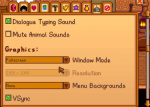
So use it! Try it out in game. Note that the Open Destination Folder option is available again. Woo!
I wanted a dancing Marnie here, but this'll have to do:
** 4aa. What does this command do? mv is move, or rename if the second name doesn't exist already. We're using it for the rename function here. -i just checks to make sure you're not overwriting anything, it will warn you if it will. local is the starting name. .local is the renamed name
It worked! Thank you very much :)