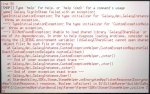
Thanks you so much my partner has been wanting to play with her sister for a while and spent all of last night setting up mods to then her not being able to play online.
Did you put in the folder that said libraries or just its contents? you need to just copy contents over and it will prompt overwrite, but if you saw overwrite, im not sure.
The good people at the sdv discord have been kind enough to release modified library files that will put a bandaid over the issue and make it so you won't need to boot into the last 3.6.x build you had.
I've forwarded the files for you.
MediaFire is a simple to use free service that lets you put all your photos, documents, music, and video in a single place so you can access them anywhere and share them everywhere.
I figured it out for Steam Deck rather than a PC. Because of this. I ended up needing to use Claude to figure it out because I’m not PC savvy but hoping this fix helps anyone else.
1. On your Steam Deck, go to Desktop Mode
2. Open a browser and go to: mediafire.com/file/2jlue14eqyzzhdu/libraries.zip/file
3. Download the libraries.zip file
4. Open Dolphin file manager and go to your Downloads folder
5. Find libraries.zip, right-click it and select Extract > Extract Here
6. Open the extracted libraries folder — you’ll see two files: libGalaxy64.so and libGalaxyCSharpGlue.so
7. Select both files and copy them
8. Navigate to: Home > .local > share > Steam > steamapps > common > Stardew Valley
9. Paste the files there and click Overwrite when prompted
10. Return to Gaming Mode and launch Stardew Valley
Did you put in the folder that said libraries or just its contents? you need to just copy contents over and it will prompt overwrite, but if you saw overwrite, im not sure.