Hi, yes this has happened to my boyfriend and I also. We have been playing on xbox series X, co-op online (he as host and me as farmhand) but in the same household, with no issues prior to the 1.6.15.1 update. Our wifi connection is stable, games and xboxs are fully updated, and no other online or other issues on other games.
Since this update, we kept getting game crashes at the end of each day when sleeping, during the middle of days, or it would kick me out of the game but not him. This was happening sometimes every 3 or so in game days, and also sometimes once or twice in an ingame month. There doesn't seem to be any pattern to it. Sometimes we were required to restart the day, other times the day had saved and we were on the next day. The messages we got were saying something along the lines of 'server has closed' and/or 'connection unstable'.
Then after one of these crashes, the farm was no longer available to be hosted on co-op and was not located in the single player section either. A 'new' farm with the default character, 00:00 of play time and 500G had appeared in the single player section. This 'new' save was loaded into single player, we saw it was our farm, complete with the same invontory as before the crash and on the next day, suggesting it had saved. After sleeping in the singler player mode to save the 'new' farm as our old one, he was able to host it on co-op mode.
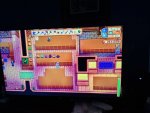
After this I noticed that when I went to the community center the tiles to put items into the bundles were gone (we had the bulletin board and fish tank left). We then quit the game before saving the day, restarted the game and xbox to see if this would help resolve the issues. It did not. Then after another 'connection unstable' crash, the same thing happened to my broyfriend (he could no longer access the bundles). However this time there was an added issue of the icon in the menu to see what is needed in the community centre, when selected, is only showing the craft room, with all bundles uncompleted even though they were preivously completed. It is not possible to cycle through to see the other sections like the fishtank or bulletin board. (also just to note: the bridge was still repaired, the minecarts still available to use, greenhouse built and the bus repaired all as 'normal'). I went to the community centre to see if I could re donate the necesary items to redo the bundle, the craft room was still fixed, fishtank and bulletin board tiles missing and there was a junimo on the table in the craft room (It did not run away on approach either). The junimo in the craft room made me think that there should be a tile there too to interact with (I couldnt see one). However I could not access the suposed tile even by just walking the in area and pressing 'A' .
Then the game crashed and the save was moved to single player and default again. We followed the same steps as before. This time upon reloading, the the museum was empty (with all the community center issues still present). All the artifacts and minerals had the description 'gunther can tell you more about this' implying that we had not donated anything to the museum. We then took the undonated (but preivously donated) items to the museum, where we are able to re donate them. In turn, they appeared on the display afterwards, but everything we had previously donated was still gone. (Just to note we have donated enough and recieved the rusty key to unlock the sewers)
What we have tired to help/fix the issues:
- Switching to single player mode to see if the same issues are still present, they are
- Quitting and restarting both our games
- Quitting and restarting the games and restarting both Xbox's
- Restarting the wifi
- Looking online for potential fixes (there are no fixes, just many many more players experiencing the same issues)
Ive not seen a single thing to suggest that Concerned Ape or his helpers are aware of these issues or that they are being worked on. I dont care how long I'd have to wait for the fix. Id just like to know that it is being looked into and that there will be potential fixes for everyones game saves that are encountering these issues.
Stardew Valley is an amazing game and we have put so many hours into the game (on various devices) and this save. However with the current issues, we cannot justify playing the save anymore, nor creating a new save where these issues will surely arise again.
Hopefully this infomation can help and assure people that these issues are happening to so many others. I am happy to reply to this with any other infomation if needed.