
Version: 0.1.10 | Author: MossHarbor | Languages: English / 简体中文
Download on Nexus Mods | Source on GitHub | SMAPI
Production Progress - Crops and Machines
See crop growth, machine production, tapping and cask aging in one Progress tab in your existing game menu. Check each batch's progress and expected finish date, with a time of day for machines that process by the minute.
Testing notice — feedback welcome
This is an early public release with limited in-game testing. It has not undergone broad testing across different saves, large farms or mod combinations. If something looks wrong or does not work as expected, please report it or join the discussion. Steps to reproduce, screenshots and a SMAPI log link are welcome and help us investigate.
What's new in 0.1.10
The progress list now uses the available height down to the native menu's bottom inset. Partially visible rows appear at the top and bottom instead of leaving unused space. The scrollbar follows the same visible area, with pixel-based dragging and the last row fully reachable. This update passed 65 automated core tests and a release build; the new clipping and UI scaling behavior has not yet been verified in-game. Feedback is welcome.
Features
Installation
1. Install SMAPI for your game version.
2. Extract the ProductionProgress folder from the ZIP into Stardew Valley/Mods.
3. Launch the game through SMAPI and open the normal game menu.
4. Select the wheat-icon Progress tab.
To update, close the game and replace the existing ProductionProgress folder with the new one. Keep only one installed copy.
Compatibility and testing
The previous version, 0.1.9, was tested by the author on Windows with Stardew Valley 1.6.8 and SMAPI 4.0.8. Version 0.1.10 builds against that same target and passes 65 automated core tests, but its latest scrolling and clipping changes have not yet been verified in-game. Newer game/SMAPI versions and macOS/Linux have not been verified. SMAPI is required. Content Patcher and Generic Mod Config Menu are not required.
Host and client synchronization is implemented for multiplayer, but multiplayer and split-screen have not been verified in-game. Both host and clients need this mod installed to use its multiplayer view.
The menu uses the game's current UI textures. Recolors of the same native textures can carry through to the progress bars and scrolling controls. Mods that replace the entire game menu or change its layout may require additional compatibility work.
A few details
Source and feedback
Source: GitHub
For a bug report, include your game and SMAPI versions, your mod version, a screenshot if relevant, and a SMAPI log link. Please mention other mods that change menus or machine processing.
Development disclosure
Code, translations and this description were generated with AI following the author's design and feedback. The author performed in-game testing. The mod does not call AI services while running. Release screenshots are actual game captures.
简体中文
在原有游戏菜单中增加“进度”页签,集中查看作物生长、机器加工、树液采集和酒窖陈酿。每个批次展示进度与预计完成日期,按分钟加工的机器另外显示完成时刻。
测试说明:欢迎反馈与讨论
这是早期公开版本,目前只完成有限环境下的游戏内测试,尚未经过不同存档、大型农场和各种 mod 组合的大范围测试。如果出现显示异常、功能问题或兼容性问题,欢迎在评论区反馈和讨论。提供复现步骤、截图及 SMAPI 日志链接,可以帮助定位问题。
0.1.10 更新内容
进度列表按实际可用高度延伸至原版菜单底部留白,上下边缘可以显示部分条目,不再为了完整行而留空。滚动条使用相同可视区域,拖动按像素移动,最后一条可以完整查看。本次已通过 65 项核心自动化测试和 Release 编译;新增裁剪及 UI 缩放效果尚未完成游戏内验证,欢迎反馈。
主要功能
安装与更新
安装适合当前游戏版本的 SMAPI,将 ZIP 内的 ProductionProgress 文件夹解压至 Stardew Valley/Mods,通过 SMAPI 启动游戏,然后打开原菜单并选择麦穗页签。
更新前退出游戏,用新文件夹替换 Mods 中已有的 ProductionProgress 文件夹,不要同时保留两份。
适用范围
上一版本 0.1.9 已由作者在 Windows、Stardew Valley 1.6.8、SMAPI 4.0.8 下实测。0.1.10 已针对相同目标完成编译并通过 65 项核心自动化测试,但本次滚动及裁剪改动尚未完成游戏内验证。更新版本的游戏/SMAPI 及 macOS、Linux 尚未验证。必需前置为 SMAPI,无需安装 Content Patcher 或 Generic Mod Config Menu。
已实现多人主机与客户端同步,但多人和分屏尚未实机验证;使用多人视图需要主机和客户端均安装本 mod。替换同一套原版 UI 素材的美化包可以影响本页配色;完全替换主菜单或重排布局的 mod 可能需要单独适配。
名称后的数量代表这一批次中的作物或机器个数,不代表最终收获数量。果酒按游戏的机器分钟计时,因此可能在下午完成。首次遇到已经制作到一半、且无法还原完整周期的机器时,可能暂时没有百分比;没有记录过完成过程的旧产物会显示“日期未知”。本 mod 只观察生产状态,不加速、不自动收取、不改变产物。
源码与反馈
源码:GitHub。反馈问题时请提供游戏、SMAPI 和 mod 版本,相关截图及 SMAPI 日志链接,并说明是否安装了其他菜单或机器加工类 mod。
开发说明
代码、翻译及本页说明由 AI 按作者设计和反馈生成,作者完成游戏内测试。运行 mod 时不调用 AI 服务,发布截图来自真实游戏画面。
Screenshots / 实机截图
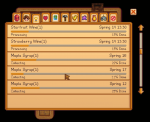
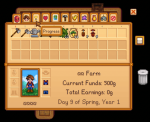
The four screenshots show the previous in-game-tested version, 0.1.9: two English and two Simplified Chinese. They are actual game captures with ordinary cropping only; they do not verify the new 0.1.10 clipping behavior.
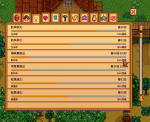
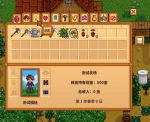
以下四张为已实测的 0.1.9 截图,中英文各两张,仅做普通裁剪;不作为 0.1.10 新增裁剪效果的验证。
Download on Nexus Mods | Source on GitHub | SMAPI
Production Progress - Crops and Machines
See crop growth, machine production, tapping and cask aging in one Progress tab in your existing game menu. Check each batch's progress and expected finish date, with a time of day for machines that process by the minute.
Testing notice — feedback welcome
This is an early public release with limited in-game testing. It has not undergone broad testing across different saves, large farms or mod combinations. If something looks wrong or does not work as expected, please report it or join the discussion. Steps to reproduce, screenshots and a SMAPI log link are welcome and help us investigate.
What's new in 0.1.10
The progress list now uses the available height down to the native menu's bottom inset. Partially visible rows appear at the top and bottom instead of leaving unused space. The scrollbar follows the same visible area, with pixel-based dragging and the last row fully reachable. This update passed 65 automated core tests and a release build; the new clipping and UI scaling behavior has not yet been verified in-game. Feedback is welcome.
Features
- A wheat-icon tab between Skills and Social. Use your normal game-menu controls; no extra hotkey is required.
- Progress bars for crops and regrowth, processing machines such as kegs, oil makers and fish smokers, tappers, and casks.
- Matching production cycles are grouped together. Different locations, progress values or completion dates stay in separate batches.
- Dates use the game's seasons and calendar. Minute-based machines also show a finish time. Crop dates assume that normal growth conditions continue.
- Completed rows keep their recorded completion date and show 100%. Casks display progress toward the next quality level.
- Native menu textures, a scrollable list with arrows and a draggable thumb, and hover text for shortened item names.
- English and Simplified Chinese in one download, following your game language.
Installation
1. Install SMAPI for your game version.
2. Extract the ProductionProgress folder from the ZIP into Stardew Valley/Mods.
3. Launch the game through SMAPI and open the normal game menu.
4. Select the wheat-icon Progress tab.
To update, close the game and replace the existing ProductionProgress folder with the new one. Keep only one installed copy.
Compatibility and testing
The previous version, 0.1.9, was tested by the author on Windows with Stardew Valley 1.6.8 and SMAPI 4.0.8. Version 0.1.10 builds against that same target and passes 65 automated core tests, but its latest scrolling and clipping changes have not yet been verified in-game. Newer game/SMAPI versions and macOS/Linux have not been verified. SMAPI is required. Content Patcher and Generic Mod Config Menu are not required.
Host and client synchronization is implemented for multiplayer, but multiplayer and split-screen have not been verified in-game. Both host and clients need this mod installed to use its multiplayer view.
The menu uses the game's current UI textures. Recolors of the same native textures can carry through to the progress bars and scrolling controls. Mods that replace the entire game menu or change its layout may require additional compatibility work.
A few details
- The number beside an item is the number of tracked plants or machines in that batch, not the number of items you will harvest.
- Wine processing uses the game's minute-based machine timer, so it may finish during the afternoon. Crop growth and other daily cycles show a date without an invented time of day.
- If this mod first encounters a machine halfway through an unknown production cycle, a percentage may be unavailable until it observes a new cycle.
- An item already completed before the mod could record its completion may show Date unknown.
- The mod observes production state. It does not speed up crops or machines, auto-harvest, or change their outputs.
Source and feedback
Source: GitHub
For a bug report, include your game and SMAPI versions, your mod version, a screenshot if relevant, and a SMAPI log link. Please mention other mods that change menus or machine processing.
Development disclosure
Code, translations and this description were generated with AI following the author's design and feedback. The author performed in-game testing. The mod does not call AI services while running. Release screenshots are actual game captures.
简体中文
在原有游戏菜单中增加“进度”页签,集中查看作物生长、机器加工、树液采集和酒窖陈酿。每个批次展示进度与预计完成日期,按分钟加工的机器另外显示完成时刻。
测试说明:欢迎反馈与讨论
这是早期公开版本,目前只完成有限环境下的游戏内测试,尚未经过不同存档、大型农场和各种 mod 组合的大范围测试。如果出现显示异常、功能问题或兼容性问题,欢迎在评论区反馈和讨论。提供复现步骤、截图及 SMAPI 日志链接,可以帮助定位问题。
0.1.10 更新内容
进度列表按实际可用高度延伸至原版菜单底部留白,上下边缘可以显示部分条目,不再为了完整行而留空。滚动条使用相同可视区域,拖动按像素移动,最后一条可以完整查看。本次已通过 65 项核心自动化测试和 Release 编译;新增裁剪及 UI 缩放效果尚未完成游戏内验证,欢迎反馈。
主要功能
- 麦穗图标位于技能与社交页签之间,使用原有菜单操作,无需另设快捷键。
- 支持作物及再生、酒桶、压油机、熏鱼机等加工机器、树液采集器和陈酿桶。
- 相同生产周期自动合并;不同地点、进度或完成日期保持分批展示。
- 使用游戏季节和日期;分钟加工显示具体时刻。作物日期以继续满足正常生长条件为前提。
- 完成后保留已记录的日期并显示 100%;陈酿按下一品质阶段显示进度。
- 使用原版菜单素材,支持滚轮、上下箭头与滑块拖动;长名称省略后可悬停查看全名。
- 同一个安装包内置英文和简体中文,跟随游戏语言。
安装与更新
安装适合当前游戏版本的 SMAPI,将 ZIP 内的 ProductionProgress 文件夹解压至 Stardew Valley/Mods,通过 SMAPI 启动游戏,然后打开原菜单并选择麦穗页签。
更新前退出游戏,用新文件夹替换 Mods 中已有的 ProductionProgress 文件夹,不要同时保留两份。
适用范围
上一版本 0.1.9 已由作者在 Windows、Stardew Valley 1.6.8、SMAPI 4.0.8 下实测。0.1.10 已针对相同目标完成编译并通过 65 项核心自动化测试,但本次滚动及裁剪改动尚未完成游戏内验证。更新版本的游戏/SMAPI 及 macOS、Linux 尚未验证。必需前置为 SMAPI,无需安装 Content Patcher 或 Generic Mod Config Menu。
已实现多人主机与客户端同步,但多人和分屏尚未实机验证;使用多人视图需要主机和客户端均安装本 mod。替换同一套原版 UI 素材的美化包可以影响本页配色;完全替换主菜单或重排布局的 mod 可能需要单独适配。
名称后的数量代表这一批次中的作物或机器个数,不代表最终收获数量。果酒按游戏的机器分钟计时,因此可能在下午完成。首次遇到已经制作到一半、且无法还原完整周期的机器时,可能暂时没有百分比;没有记录过完成过程的旧产物会显示“日期未知”。本 mod 只观察生产状态,不加速、不自动收取、不改变产物。
源码与反馈
源码:GitHub。反馈问题时请提供游戏、SMAPI 和 mod 版本,相关截图及 SMAPI 日志链接,并说明是否安装了其他菜单或机器加工类 mod。
开发说明
代码、翻译及本页说明由 AI 按作者设计和反馈生成,作者完成游戏内测试。运行 mod 时不调用 AI 服务,发布截图来自真实游戏画面。
Screenshots / 实机截图
The four screenshots show the previous in-game-tested version, 0.1.9: two English and two Simplified Chinese. They are actual game captures with ordinary cropping only; they do not verify the new 0.1.10 clipping behavior.
以下四张为已实测的 0.1.9 截图,中英文各两张,仅做普通裁剪;不作为 0.1.10 新增裁剪效果的验证。