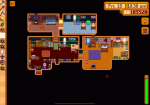
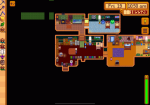
iOS House tiles offset for wallpaper and floor

marissaann

Cowpoke
After I expanded my house and added new rooms, the whole grid for placing wallpaper and flooring is super offset so I can’t change anything for the whole bottom of the house. It only does this when placing flooring or wallpaper, not items.

version: 1.6.15 build 24354
iPad OS 16.6.1
Language: English
Single player
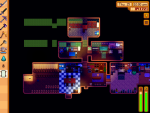
 

Attachments

marissaann

Cowpoke
Playing a new save and this is still an issue over a year later and don’t see any fixes recommended online :( you basically have to choose between upgrading the house to have space or being able to decorate :/ hoping the eventual new version will fix this!
 

marissaann

Cowpoke
I’ve had this issue and I restarted the day which fixed the issue for me
Interesting! Restarting the day didn’t seem to help but maybe it happened with an earlier improvement and I didn’t notice since I didn’t try to decorate right away. I finally figured out that if you walk right up to the wall (moving any items that might be in the way) and click a bunch you can usually get things to apply. It’ll show up red like you can’t place it but just keep clicking. Same goes for moving items.
 
Top