coodaphi
Newcomer
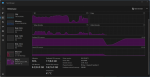
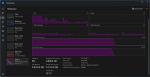
I'm experiencing a severe memory leak on my system that occurs during normal gameplay activities. The leak is not tied to a specific action — it can occur while watering crops, fishing, walking outdoors, or even standing still indoors with the inventory open. RAM usage spikes rapidly until the game becomes unstable and crashes. This behavior persists across sessions and after extensive troubleshooting.
System Specs
- GPU: NVIDIA RTX 4090
- CPU: Intel i9‑14900K
- RAM: 32GB DDR5
- Resolution: 2560×1440
- OS: Windows 11
- Game Version: Stardew Valley 1.6.15 (current Steam build)
- No mods installed (clean vanilla install)
Description of the Issue-
The game rapidly consumes system memory during normal gameplay. Opening and closing the inventory stops the leak and brings RAM back down to normal usage. It happens repeatedly not just once, sometimes lasting 30+ min. between leaks, other times only lasting 5-10 min. between leaks. The leak can trigger in multiple unrelated scenarios:
- Watering crops
- Fishing at any water source (river, lake, ocean)
- Walking around outdoors
- Standing still indoors with the inventory open
- Performing no actions at all (sitting AFK)
The leak is not tied to:
- specific items
- specific tools
- specific locations
- GPU switching
- overlays
- background applications
It appears to be related to the game’s rendering/UI systems rather than gameplay logic.
---------------‐--------------------------------------------
Troubleshooting Already Performed-
I have done extensive testing to isolate the issue. Steps taken:
Graphics & System-
- Verified GPU usage (game is correctly running on my RTX 4090) instead of an integrated graphics system.
- Disabled Steam overlay
- Disabled Windows fullscreen optimizations
- Forced exclusive fullscreen
- Capped FPS to 60
- Confirmed no background apps interfering
- Verified game files
- Clean reinstall
Launch Options Tested-
I tested multiple combinations of the following flags:
--fps 60
--disable-threaded-ui
--gamepad-ui off
--disable-lighting
--disable-ambient-tiles
--disable-animated-tiles
--disablesteamoverlay
I've spent almost as much time trying to solve this leak as I've spent playing the game (I'm a new player)
Any guidance, patches, or additional debugging steps would be greatly appreciated. Thank you.
System Specs
- GPU: NVIDIA RTX 4090
- CPU: Intel i9‑14900K
- RAM: 32GB DDR5
- Resolution: 2560×1440
- OS: Windows 11
- Game Version: Stardew Valley 1.6.15 (current Steam build)
- No mods installed (clean vanilla install)
Description of the Issue-
The game rapidly consumes system memory during normal gameplay. Opening and closing the inventory stops the leak and brings RAM back down to normal usage. It happens repeatedly not just once, sometimes lasting 30+ min. between leaks, other times only lasting 5-10 min. between leaks. The leak can trigger in multiple unrelated scenarios:
- Watering crops
- Fishing at any water source (river, lake, ocean)
- Walking around outdoors
- Standing still indoors with the inventory open
- Performing no actions at all (sitting AFK)
The leak is not tied to:
- specific items
- specific tools
- specific locations
- GPU switching
- overlays
- background applications
It appears to be related to the game’s rendering/UI systems rather than gameplay logic.
---------------‐--------------------------------------------
Troubleshooting Already Performed-
I have done extensive testing to isolate the issue. Steps taken:
Graphics & System-
- Verified GPU usage (game is correctly running on my RTX 4090) instead of an integrated graphics system.
- Disabled Steam overlay
- Disabled Windows fullscreen optimizations
- Forced exclusive fullscreen
- Capped FPS to 60
- Confirmed no background apps interfering
- Verified game files
- Clean reinstall
Launch Options Tested-
I tested multiple combinations of the following flags:
--fps 60
--disable-threaded-ui
--gamepad-ui off
--disable-lighting
--disable-ambient-tiles
--disable-animated-tiles
--disablesteamoverlay
I've spent almost as much time trying to solve this leak as I've spent playing the game (I'm a new player)
Any guidance, patches, or additional debugging steps would be greatly appreciated. Thank you.