
I made a new Stardew Valley Planner

sunus

Greenhorn
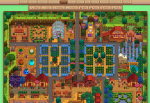
Hi everyone! I've created a free online farm planner that lets you design your farm layout in your browser—no download needed, works perfectly right in your web browser!
Awesome Features:
🌸 Season preview (Spring/Summer/Fall/Winter) for all farm areas
🏠 Full farm & indoor decoration (wallpaper, flooring for farmhouse, slime hutch & more)
🗺 Support for Ginger Island layout design
📂 Import & parse your game save files to load your existing farm layout automatically
🎪 Place buildings, crops, flooring, fences, decorations and custom items
💾 Save & share your unique layouts with a single link
📤 Export your designs as high-quality PNG for sharing or reference
Try it now!
👉 https://stardew.sunus.top/en
Feedback, suggestions and bug reports are all super welcome! Wishing you all happy farming and perfect farm designs 🌾
1773976021652.png
 

BeenASon

Local Legend
Hi everyone! I've created a free online farm planner that lets you design your farm layout in your browser—no download needed, works perfectly right in your web browser!
Awesome Features:
🌸 Season preview (Spring/Summer/Fall/Winter) for all farm areas
🏠 Full farm & indoor decoration (wallpaper, flooring for farmhouse, slime hutch & more)
🗺 Support for Ginger Island layout design
📂 Import & parse your game save files to load your existing farm layout automatically
🎪 Place buildings, crops, flooring, fences, decorations and custom items
💾 Save & share your unique layouts with a single link
📤 Export your designs as high-quality PNG for sharing or reference
Try it now!
👉 https://stardew.sunus.top/en
Feedback, suggestions and bug reports are all super welcome! Wishing you all happy farming and perfect farm designs 🌾
View attachment 37469
Looks really cool! The planner is a bit buggy tho on mobile and the ui could use some improvement. The buttons are way too big and the background for them is way too solid.

With some mobile optimization and ui redesign this could be really good! Also whenever I click on a tree and place one it seems to place multiple. A bit happy as well but that might be my device as it's pretty low end.
 
Last edited by a moderator:

sunus

Greenhorn
With some mobile optimization and ui redesign this could be really good! Also whenever I click on a tree and place one it seems to place multiple. A bit happy as well but that might be my device as it's pretty low end.
the planner isn’t officially optimized for mobile yet (it’s built first for desktop/PC use), which is why the UI/buttons look off and there might be tap/placement bugs like the multiple trees issue.
 

BeenASon

Local Legend
the planner isn’t officially optimized for mobile yet (it’s built first for desktop/PC use), which is why the UI/buttons look off and there might be tap/placement bugs like the multiple trees issue.
Well hope to see it get optimized!
 

potitooo

Greenhorn
Found this planner from searching the web, been using stardewplanner.com previously and they didnt have a planner for Ginger Island so thank you :heart:

The shortcut keys are really well thought out, easy and accessible! Highlight button is creative af. Quick help section really helped me understand how to use the planner. Grid view button makes it easier to see which tiles you can place items then turning it off lets you appreciate the overall design of your farm. The items are well catalogued as well in the menu bar.

Bugs I found are:
1. Using the Eraser. I can only erase when I drag the eraser tool. I cannot erase using single click. There are times where this works when I can erase a single crop on some parts of the farm but most of the times I cant erase using the single tile click.
2. When I drag the Eraser tool to erase the pathway, I can only erase the pathway by starting to drag outside the pathway tiles.
3. Restriction tool: for me, it basically didnt work, I could place items on places items shouldnt work and outside the map so I had to refer to my game which areas are placeable or not. i.e: mango and banana trees on the grass patch south of the Ginger farm and putting the trees over the inaccessible corner of the farm
4. Pressing the E (Eraser tool) again to restore brush doesnt work.

Some suggestions I can think of to improve the planner are:

1. Highlighting the dragged elements to improve visualization of the object being placed. i.e.: dragging paths & floors where a trail of opaque white highlight follows the movement
2. Freeze the (Menu bar?) "for the lack of better term about the buttons you click to design your farm" when scrolling up and down for easier and convenient use of the menu.

Overall, love the planner and am planning to continue using moving forward. Keep up the good work and praise Yoba! I am using a laptop with a Windows OS btw.:smile:
 

FilthyGorilla

Local Legend
Looks great so far, agree with potitooo on some of the optimization but that's to be expected as it's still pretty early on. Otherwise, consider putting this in the guides section of the forum so more people can see it, may get better traction that way.
 

sunus

Greenhorn
Found this planner from searching the web, been using stardewplanner.com previously and they didnt have a planner for Ginger Island so thank you :heart:

The shortcut keys are really well thought out, easy and accessible! Highlight button is creative af. Quick help section really helped me understand how to use the planner. Grid view button makes it easier to see which tiles you can place items then turning it off lets you appreciate the overall design of your farm. The items are well catalogued as well in the menu bar.

Bugs I found are:
1. Using the Eraser. I can only erase when I drag the eraser tool. I cannot erase using single click. There are times where this works when I can erase a single crop on some parts of the farm but most of the times I cant erase using the single tile click.
2. When I drag the Eraser tool to erase the pathway, I can only erase the pathway by starting to drag outside the pathway tiles.
3. Restriction tool: for me, it basically didnt work, I could place items on places items shouldnt work and outside the map so I had to refer to my game which areas are placeable or not. i.e: mango and banana trees on the grass patch south of the Ginger farm and putting the trees over the inaccessible corner of the farm
4. Pressing the E (Eraser tool) again to restore brush doesnt work.

Some suggestions I can think of to improve the planner are:

1. Highlighting the dragged elements to improve visualization of the object being placed. i.e.: dragging paths & floors where a trail of opaque white highlight follows the movement
2. Freeze the (Menu bar?) "for the lack of better term about the buttons you click to design your farm" when scrolling up and down for easier and convenient use of the menu.

Overall, love the planner and am planning to continue using moving forward. Keep up the good work and praise Yoba! I am using a laptop with a Windows OS btw.:smile:
Thanks so much for your detailed feedback and kind words — really glad you’re enjoying the planner!
Bugs noted
Eraser click issueThe eraser currently detects items by their bottom area. I’ll adjust it to target the item under the cursor and add a hover highlight for clarity.
Eraser path dragI’ll look into this one, thanks for pointing it out.
Restriction toolIt only works fully on the main farm so far. I’ll add proper placement rules for Ginger Island in a future update.
E shortcut toggleI’ll fix the brush/eraser switch behavior.
I will carefully consider the suggestions you have made.
Thanks again for your help — I’ll keep improving the tool!
 
Last edited by a moderator:

potitooo

Greenhorn
Thanks so much for your detailed feedback and kind words — really glad you’re enjoying the planner!
Bugs noted
Eraser click issueThe eraser currently detects items by their bottom area. I’ll adjust it to target the item under the cursor and add a hover highlight for clarity.
Eraser path dragI’ll look into this one, thanks for pointing it out.
Restriction toolIt only works fully on the main farm so far. I’ll add proper placement rules for Ginger Island in a future update.
E shortcut toggleI’ll fix the brush/eraser switch behavior.
I will carefully consider the suggestions you have made.
Thanks again for your help — I’ll keep improving the tool!


Thanks so much for your detailed feedback and kind words — really glad you’re enjoying the planner!
Bugs noted
Eraser click issueThe eraser currently detects items by their bottom area. I’ll adjust it to target the item under the cursor and add a hover highlight for clarity.
Eraser path dragI’ll look into this one, thanks for pointing it out.
Restriction toolIt only works fully on the main farm so far. I’ll add proper placement rules for Ginger Island in a future update.
E shortcut toggleI’ll fix the brush/eraser switch behavior.
I will carefully consider the suggestions you have made.
Thanks again for your help — I’ll keep improving the tool!
You are welcome!
 
Top